
Your Studies,
Right on Your Phone
Access all EIIET courses, assignments, grades and announcements anywhere. Powered by Moodle — your full academic life, mobile.
100%
Moodle
iOS + Android
24/7
A Focused Learning Experience,
Right on Your Phone
While Moodle is accessible through the web, a dedicated mobile app creates a distraction-free space with no tabs, ads, or unrelated browsing. Instead of unnecessary scrolling, the app gives students a reason to open their phone with a purpose: learning.
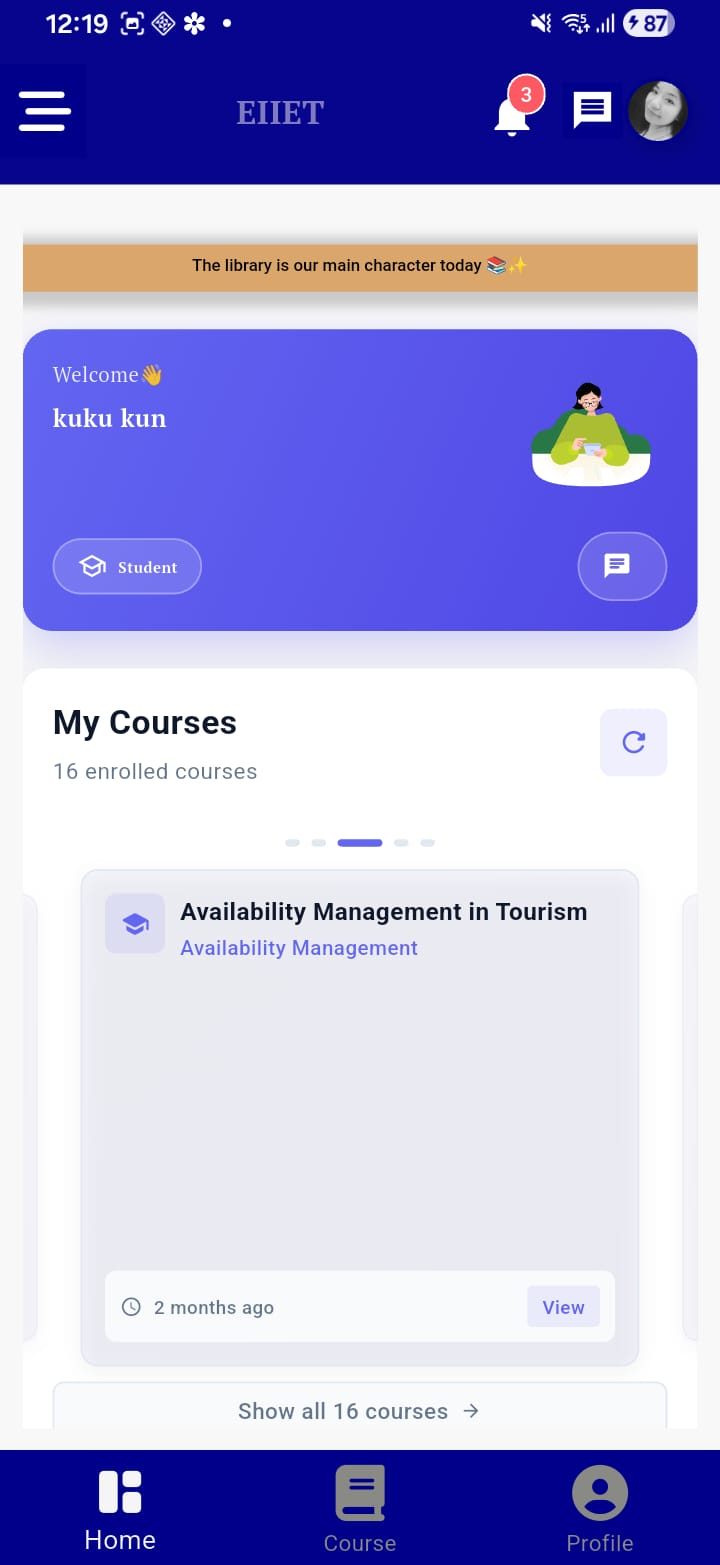
All your enrolled EIIET courses are available right inside the app, powered by Moodle. Browse course content, read materials, and open attached files — PDFs and documents — directly on your phone. An active internet connection is required to load course data from the server.
View all your assignments across every course — see due dates, instructions, and submission status clearly. Tap into any individual assignment to review its details, attached files, and any feedback from your instructor.
Check the grade you received for each individual assignment directly within the assignment view.
Stay informed while you are inside the app. Receive notifications from Moodle — such as new announcements, course updates, and messages — directly within the app. Note: push notifications to your home screen are not currently supported.
Send and receive messages with other EIIET members — students and instructors alike. Use the built-in search to find any user within the EIIET community and start a conversation directly from the app.
Keep track of important academic dates right inside the app. The calendar pulls events from Moodle so you always know what is coming up — assignment deadlines, course events, and key dates across your enrolled courses.
Open and read course files — such as PDFs, Word documents, and other supported formats — directly within the app. All files uploaded by your instructors on Moodle are accessible from your phone.
Log in using your existing EIIET Moodle username and password — no separate account needed. An internet connection is required at login and while using the app, as all content is fetched live from the EIIET server.
Up and Running in 4 Simple Steps
Start using the EIIET Student App in minutes — no complicated setup required.
Install the EIIET Student App from the Google Play Store or Apple App Store — completely free.
Use your existing EIIET Moodle credentials to sign in. No new registration required.
All your enrolled courses, materials, assignments, and grades appear instantly on your dashboard.
As long as you have an internet connection, you can access your courses, check grades, read files, message classmates, and stay on top of your academic life — wherever you are.
Start Learning Without Limits
Free for all EIIET enrolled students. Available now on Android and iOS.